

Kamili One Mail provides a unified inbox experience that allows you to manage multiple email addresses without switching apps.
Unified Inbox and Folder Navigation
Access all your messages in a streamlined multi-pane layout.
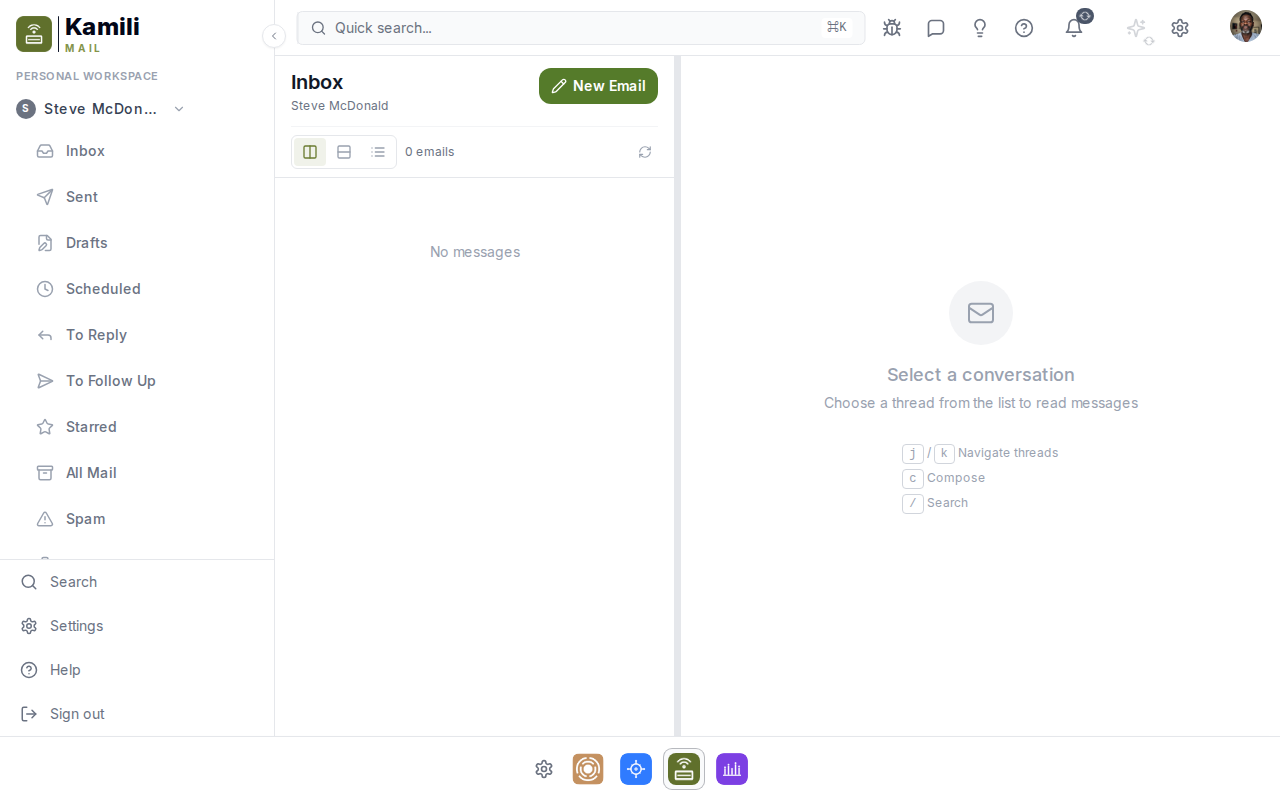
Mail features:
- Unified inbox — aggregate incoming messages across all connected email accounts.
- Folder tree — access Inbox, Sent, Drafts, Archive, Spam, and Trash.
- Message list — preview sender, subject line, date, and message snippet.
Composing and Sending Emails
- Click the Compose button in the upper left corner.
- Select your sending identity if you have multiple connected mail accounts.
- Enter recipient email addresses in the To, Cc, or Bcc fields.
- Compose your message using formatting tools and attach files as needed.
- Click Send.
Searching Emails
- The top search bar searches subjects, sender names, and body text across all folders.
- Search filters allow filtering by date range, sender, or unread status.
Connecting Email Accounts
Connect standard IMAP and SMTP email accounts or use Google / Microsoft OAuth providers in Settings -> Accounts.