

Kamili One Calendar brings your schedule, deadlines, and team meetings into one place.
Calendar Views and Navigation
Review your commitments across multiple view options.
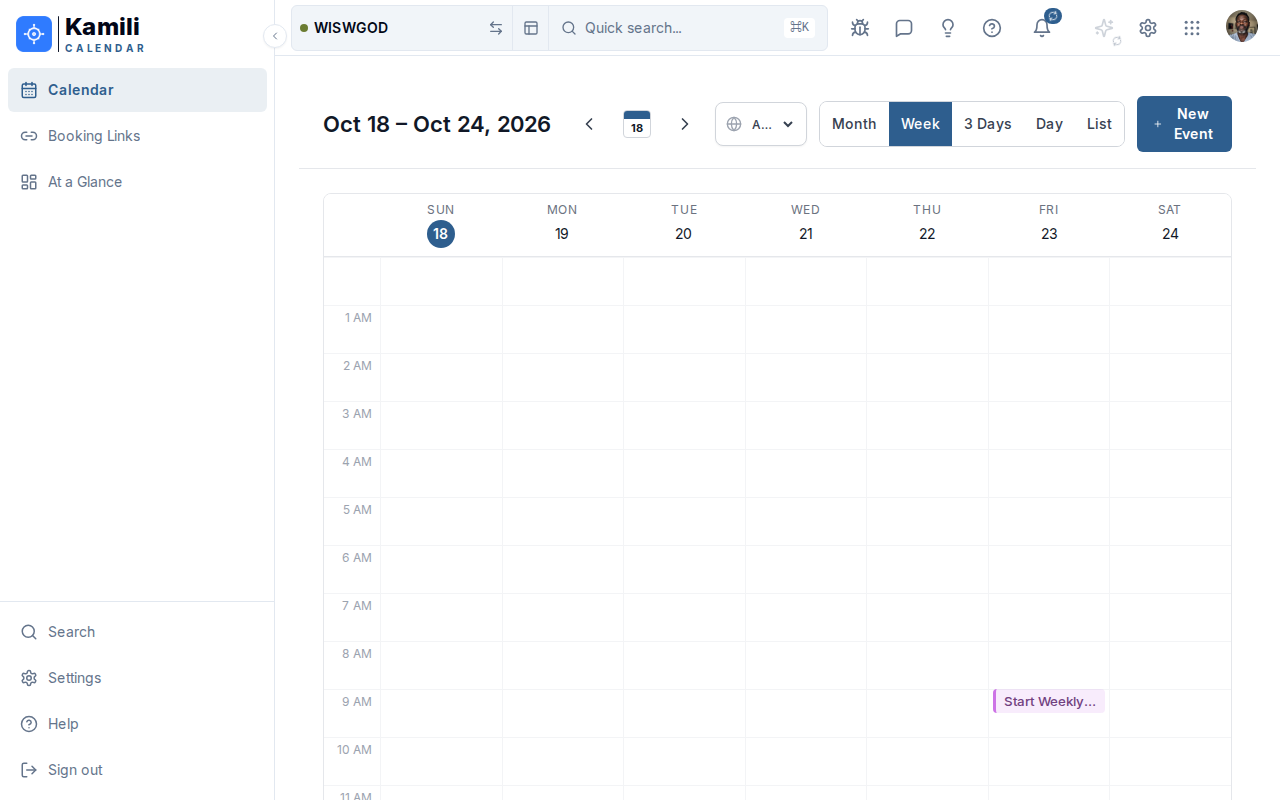
Calendar navigation options:
- View switcher — switch between Day, Week, Month, and Agenda views.
- Mini-calendar picker — quick date navigation in the left sidebar.
- Today button — jump immediately back to current time.
Scheduling Events
To schedule a meeting or event:
- Click the + New Event button or click on any time slot on the calendar grid.
- Enter the event title, start time, and end time.
- Add attendees by email address or workspace username.
- Configure reminders (e.g. 15 minutes before) and optional recurrence rules.
- Click Create Event.
Connecting External Calendars
- Sync external calendars via CalDAV or Google Calendar / Outlook integrations.
- Configure color coding for different calendars to easily distinguish work from personal commitments.